Best 3D Printing Software for Beginners and Pros
3D printing software is the bridge between your ideas and physical objects. Whether you're designing from scratch, preparing models for printing, or controlling your printer, the right software makes all the difference. This comprehensive guide covers the best 3D printing software for every skill level - from completely free options to professional-grade tools used in industry.
Understanding 3D Printing Software: The Three Categories
Before diving into specific tools, it's important to understand that 3D printing software falls into three main categories, each serving a different purpose in your workflow.
CAD Software
Design and create 3D models from scratch. Used for precision engineering, mechanical parts, and custom designs.
Sculpting Software
Create organic shapes and artistic models. Best for figurines, characters, and artistic pieces.
Slicing Software
Converts 3D models into printer instructions (G-code). Essential for every 3D print.
Most 3D printing enthusiasts use at least one tool from each category. Let's explore the best options in each.
Best 3D Printing Software for Beginners
New to 3D printing? These tools offer intuitive interfaces and gentle learning curves without sacrificing capability.
Tinkercad
FREEThe perfect starting point for absolute beginners. Tinkercad runs entirely in your browser - no download required. It uses a simple drag-and-drop interface where you combine basic shapes to create more complex objects.
- + No installation needed
- + Extremely beginner-friendly
- + Great for education
- + Direct STL export
- + Free community designs
- - Limited to basic shapes
- - No parametric modeling
- - Requires internet connection
- - Not suitable for complex designs
Autodesk Fusion 360
FREE FOR HOBBYISTSA professional-grade CAD tool that's free for personal use. Fusion 360 offers parametric modeling, meaning you can go back and change dimensions at any time. It's the go-to choice for functional parts and mechanical designs.
- + Parametric design
- + Industry-standard tool
- + Built-in simulation tools
- + Cloud storage and collaboration
- + Excellent learning resources
- - Steep learning curve
- - Requires account creation
- - Cloud-dependent features
- - Limited offline functionality
Ultimaker Cura
FREEThe most popular slicing software in the world. Cura converts your 3D models into printable G-code with an intuitive interface. It comes with pre-configured profiles for hundreds of printers, including all Ender models.
- + Huge printer compatibility
- + Active community support
- + Powerful customization
- + Regular updates
- + Plugin marketplace
- - Can be overwhelming for beginners
- - Resource intensive
- - Some advanced features hidden
Intermediate 3D Printing Software
Ready to level up? These tools offer more power and flexibility for experienced users.
Blender
FREE & OPEN SOURCEA complete 3D creation suite used in film, games, and 3D printing. Blender excels at organic modeling and sculpting - perfect for figurines, characters, and artistic pieces. It's also completely free with no limitations.
- + Completely free, no restrictions
- + Powerful sculpting tools
- + Animation and rendering
- + Massive community
- + Works on Windows, Mac, Linux
- - Very steep learning curve
- - Not parametric
- - Overkill for simple designs
- - Unique keyboard shortcuts
Meshmixer
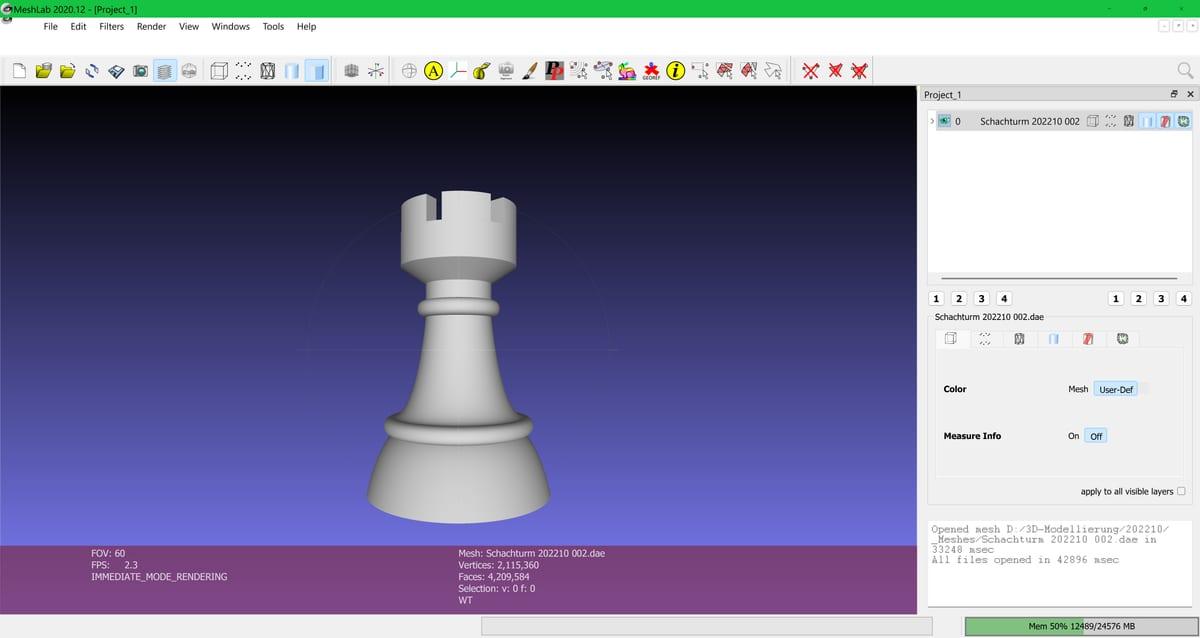
FREEThe Swiss Army knife for mesh editing. Meshmixer specializes in modifying existing STL files - combining models, adding supports, fixing errors, and optimizing for printing. Essential for working with downloaded designs.
- + Excellent mesh repair tools
- + Custom support generation
- + Boolean operations
- + Hollowing and optimization
- - No longer actively developed
- - Can be unstable with large files
- - Interface feels dated
PrusaSlicer
FREE & OPEN SOURCEOriginally developed for Prusa printers but works with any FDM machine. PrusaSlicer offers advanced features like organic supports, variable layer height, and excellent multi-material handling. Many consider it more refined than Cura.
- + Organic tree supports
- + Excellent profiles
- + Variable layer height
- + Paint-on supports
- + Active development
- - Fewer printer profiles than Cura
- - Less plugin support
- - Some features Prusa-focused
Professional-Grade 3D Printing Software
Industry-standard tools for businesses, engineers, and serious hobbyists who need the most powerful capabilities.
SolidWorks
$3,995/YEARThe gold standard for mechanical engineering and product design. SolidWorks offers unmatched precision, simulation capabilities, and industry compatibility. Used by engineers worldwide for everything from consumer products to aerospace components.
- + Industry standard
- + Powerful simulation
- + Excellent documentation
- + Professional support
- - Very expensive
- - Windows only
- - High system requirements
- - Steep learning curve
AutoCAD
$1,975/YEARThe original CAD software, still dominant in architecture and engineering. AutoCAD excels at precise technical drawings and has excellent 3D modeling capabilities. Widely used in construction, architecture, and mechanical design.
- + Precision drafting
- + Industry standard for architecture
- + Excellent 2D capabilities
- + Huge file format support
- - Expensive subscription
- - Complex interface
- - Not optimized for 3D printing
- - Steep learning curve
ZBrush
$895 PERPETUALThe industry leader for digital sculpting. ZBrush handles millions of polygons effortlessly, making it perfect for highly detailed figurines, characters, and organic models. Used by major film studios and game developers.
- + Unmatched sculpting power
- + Handles massive detail
- + One-time purchase option
- + Industry standard for figurines
- - Very unique interface
- - Long learning curve
- - Not for mechanical parts
- - Requires decimation for printing
Free 3D Printing Software Comparison
You don't need to spend money to create amazing 3D prints. Here's a quick comparison of the best free options:
| Software | Type | Best For | Skill Level |
|---|---|---|---|
| Tinkercad | CAD (Browser) | Simple designs, learning | Beginner |
| Fusion 360 | CAD | Mechanical parts | Intermediate |
| Blender | 3D Suite | Organic/artistic | Intermediate |
| FreeCAD | CAD | Parametric design | Intermediate |
| OpenSCAD | Code-based CAD | Programmers | Advanced |
| Cura/PrusaSlicer | Slicer | All FDM printing | All levels |
Best 3D Printing Software for Mac
Mac users have excellent options. Here are the top choices that run natively on macOS:
Mac-Native Recommendations
- Fusion 360: Runs natively on Apple Silicon with excellent performance. Free for hobbyists.
- Blender: Outstanding Mac support including Metal GPU acceleration on M1/M2/M3 chips.
- Shapr3D: iPad and Mac app with Apple Pencil support. Extremely intuitive. Free tier available.
- Cura: Native Mac version with full feature parity.
- PrusaSlicer: Excellent Mac performance, especially on Apple Silicon.
SolidWorks and some specialized CAM software are Windows-only. Mac users can run these through Parallels Desktop or Boot Camp, but performance may be reduced.
Best Software for Ender 3 Printers
The Ender 3 series (including Ender 3 Pro, V2, S1, and Neo) is the most popular 3D printer line. Here's your ideal software stack:
Cura (Recommended Slicer)
Comes with pre-configured Ender 3 profiles. Just select your model and start slicing.
Tip: The CHEP profiles by CHEP (YouTube) offer excellent starting points.
PrusaSlicer (Alternative)
Excellent tree supports and variable layer height. Import Ender 3 profile from SuperSlicer.
Ender 3 Recommended Settings (Cura)
- Layer Height: 0.2mm (quality) or 0.28mm (speed)
- Print Speed: 50mm/s (conservative) to 80mm/s (fast)
- Infill: 20% for decorative, 40-60% for functional
- Supports: Tree supports with 45 overhang threshold
- Bed Adhesion: Skirt or brim depending on model
Key Features to Consider When Choosing Software
User Interface
A clean, intuitive interface saves hours of frustration. Look for software with good tutorials and documentation.
File Format Support
Ensure it supports STL, OBJ, and 3MF exports. Native format matters less than export options.
Parametric vs Direct Modeling
Parametric (Fusion 360) lets you change dimensions later. Direct modeling (Blender) is more flexible but changes are harder to undo.
Community & Support
Active communities mean more tutorials, plugins, and help when you get stuck.
How to Choose the Right Software for Your Needs
The best software depends on what you're trying to create and your experience level. Use this guide to find your starting point:
| If You Want To... | Start With |
|---|---|
| Learn 3D design basics | Tinkercad |
| Create functional mechanical parts | Fusion 360 |
| Sculpt figurines or characters | Blender or ZBrush |
| Prepare downloaded models for printing | Meshmixer + Cura |
| Just slice and print | Cura or PrusaSlicer |
| Create designs with code | OpenSCAD |
Pro tip: Start with free software and only upgrade when you hit genuine limitations. Many professionals still use free tools for most of their work.
Recommended Software Workflow
Most successful 3D printers use multiple tools together. Here's a typical workflow:
Start Creating Today
The best 3D printing software is the one you'll actually use. Start with free, beginner-friendly options like Tinkercad or Fusion 360, and grow into more advanced tools as your skills develop.
Remember: software is just a tool. The real skill is understanding 3D printing principles, design constraints, and how to translate ideas into printable objects. Invest time in learning the fundamentals, and the software will become second nature.