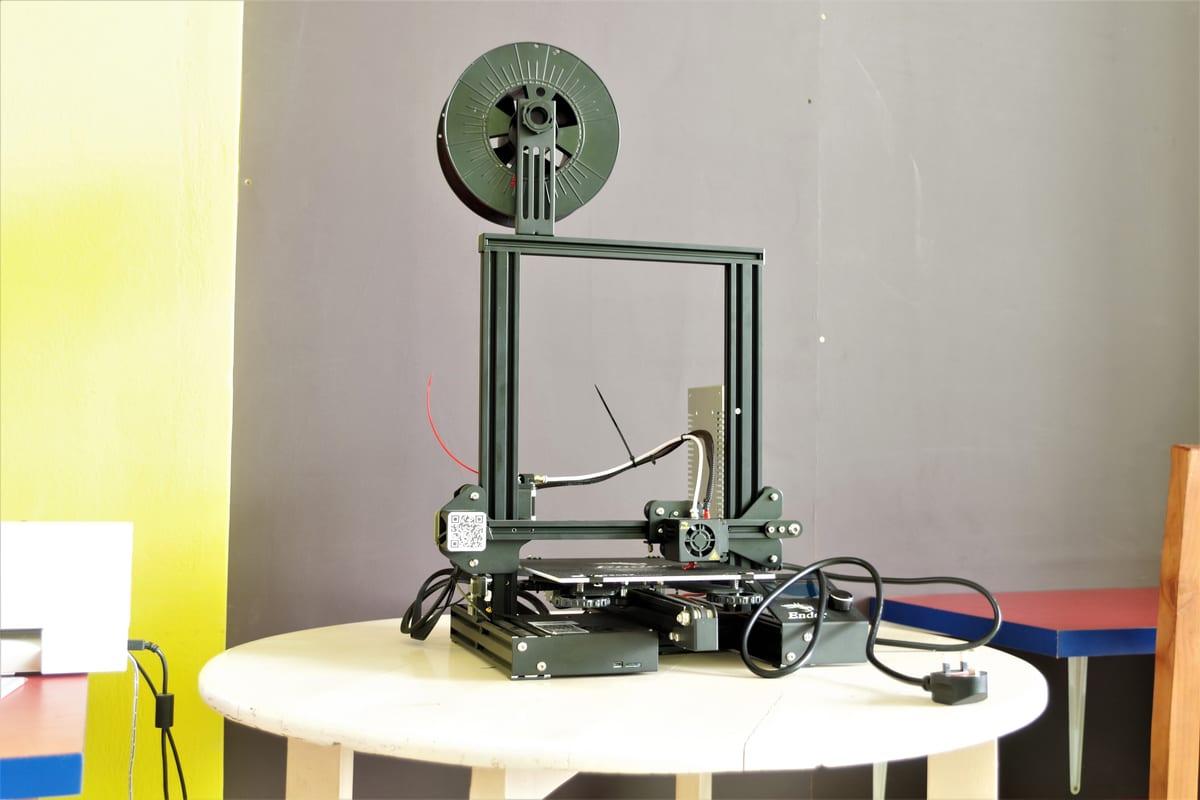
How to Find a 3D Printer: Complete Guide to All Your Options
Need something 3D printed but unsure where to start? Whether you're looking to find a 3D printer service to handle your project, discover a local maker, or shop for a printer to buy, this comprehensive guide covers every option available to you.
Finding the right 3D printing solution depends on your project, timeline, budget, and whether you want to own equipment or outsource the work. We'll walk you through each approach so you can make an informed decision.
Quick Answer: Your 3D Printing Options
Here are your four main paths to getting something 3D printed:
Online Marketplace (Fastest)
Post your project, get multiple quotes from makers worldwide, choose the best fit.
Local Maker or Print Shop
Find makers near you, often faster turnaround and face-to-face communication.
Library or Makerspace
Public printers you can use yourself, usually with membership or hourly fees.
Buy Your Own Printer
Long-term investment if you have ongoing printing needs.
Find a 3D Printer Service on a Marketplace
Online 3D printing marketplaces connect buyers with makers who own printers and can manufacture your project. This is the easiest way to find a 3D printer service.
How It Works
- Post your project - Upload your 3D model (STL, OBJ, etc.), describe materials, size, quantity, and timeline
- Receive bids - Multiple makers review your project and submit quotes with pricing and turnaround time
- Choose a maker - Compare bids, read reviews, check experience with similar projects
- Pay securely - Payment is held until you approve the finished print
- Receive your print - Maker ships your finished product to you
Popular 3D Printing Marketplaces
3D Print Bounty
A bounty-based marketplace connecting makers with custom printing projects. Competitive bidding ensures you get the best price.
Post a project on 3D Print Bounty →Protolabs / 3D Hubs
Large networks of professional print shops. More expensive but guaranteed quality and fast turnaround.
Shapeways
Specialized in materials like nylon, resin, and metal. Good for jewelry and detailed miniatures.
Local Facebook Groups & Discord
Search "[Your City] 3D Printing" or "[Your City] Makers" to find local makers. Often the fastest turnaround.
Pro Tip: When choosing a maker, check their reviews and past projects. Ask about their experience with your specific material type (FDM, resin, nylon, etc.).
Find a Local 3D Printer or Maker Near You
Finding a local maker often means faster turnaround, lower shipping costs, and the ability to discuss your project in detail face-to-face.
Where to Find Local Makers
Google "3D printing near me" or "[City] 3D print service"
Maps and local business listings often show 3D print shops with ratings and hours.
Yelp, BBB, or local business directories
Search for "3D printing," "rapid prototyping," or "custom manufacturing."
Facebook Groups
Join local maker, woodworking, or hobby groups. Ask for 3D printing recommendations.
Maker Directories (MakerMap, MakeBar)
Online directories of makerspaces and maker businesses by location.
Etsy
Many independent makers on Etsy offer custom 3D printing services. Filter by location.
Questions to Ask a Local Maker
- - What materials and printer types do you use? (FDM, resin, SLS, metal?)
- - What's your typical turnaround time for a rush job?
- - Can I provide my own STL file or do you design models?
- - Do you have examples of similar projects you've completed?
- - How do you charge: flat rate, by weight, by machine time, or hourly?
- - Can you provide a test print first?
- - What's your pricing compared to national services?
Find a 3D Printer at Your Library or Makerspace
Many public libraries and community makerspaces now have 3D printers available for public use. This is an affordable option if you want to learn or run a one-off project.
Finding Libraries with 3D Printers
Contact your local library directly
Call or visit the main branch and ask about their makerspace or equipment. Many now advertise 3D printers online.
Search online library catalogs
Many libraries list equipment like 3D printers in their online catalog alongside books.
Check Maker Directories
MakerMap and similar directories often identify public libraries with maker equipment.
Library 3D Printing Options
Makerspace vs Library
| Factor | Library | Makerspace |
|---|---|---|
| Cost | Usually free or very cheap | $50-150/month membership |
| Equipment variety | Limited (1-2 FDM printers) | Multiple types, brands, materials |
| Expert help | Limited training available | Experienced members help |
| Community | Library patrons | Active maker community |
| Hours | Library hours | Often 24/7 or extended |
Tip: Libraries are best for trying 3D printing for the first time without investment. If you find yourself printing regularly, the per-print cost of a home printer becomes cheaper.
Find and Choose a 3D Printer to Buy
If you have ongoing 3D printing needs, buying your own printer might make sense. Here's how to find and choose the right one.
Printer Types at a Glance
FDM (Fused Deposition Modeling)
Most affordable and common. Prints with plastic filament. Good for functional parts and large objects.
Resin (SLA/MSLA/DLP)
High detail, smooth finish. Excellent for miniatures, jewelry, and small detailed parts. Requires proper safety setup.
SLS/Nylon Printing
Professional-grade, durable functional parts. More expensive, usually outsourced.
How to Find 3D Printers
Online retailers
Amazon, Newegg, B&H Photo, MatterHackers. Read reviews and compare specs.
Manufacturer websites
Creality, Ender, Elegoo, Prusa, Bambu Lab. Direct from manufacturer often has better support.
3D Printer review sites
All3DP, 3DPrinting.com, TechRadar. Detailed comparisons and real-world testing.
Reddit communities
r/3Dprinting, r/FDM, r/ResinCasting. Real user experiences and recommendations.
YouTube reviews
Channels like Linus Tech Tips, Tomb of 3D Printed Horrors, CNC Kitchen for in-depth testing.
What to Consider When Choosing
- Build plate size - How large can your prints be?
- Print speed - How fast do you need prints? (40-60mm/s is standard)
- Materials supported - Does it work with filaments/resins you want to use?
- Community and support - Is there active community help and customer support?
- Learning curve - Are you comfortable with assembly and troubleshooting?
- Space requirements - Do you have room to work?
- Ongoing costs - Material, nozzles, maintenance supplies
Cost Comparison: Which Option is Best for You?
The cost of each option depends on how many prints you need and what materials you use.
| Option | Startup Cost | Cost Per Print | Best For |
|---|---|---|---|
| Online Marketplace | $0 | $3-50 per print | Occasional projects |
| Local Maker | $0 | $2-40 per print | Urgent jobs, local support |
| Library/Makerspace | $0-50 | $5-20 per print | Learning, experimentation |
| Own Printer | $200-500 | $0.10-1.00 per print | Regular printing (10+/month) |
Decision Framework
Choose a Marketplace if:
- You need prints occasionally (1-5 per month)
- You're not sure what materials you need
- You want competitive pricing and choice
Find a Local Maker if:
- You have a tight deadline
- You need fast turnaround and local support
- You want to see samples in person
Try a Library/Makerspace if:
- You've never 3D printed before
- You want to try before buying
- You have a tight budget
Buy Your Own Printer if:
- You print regularly (10+ per month)
- You have specific recurring projects
- You want unlimited access and customization
Frequently Asked Questions
Can I use my own 3D model when finding a printing service?
Yes! Most online marketplaces and local makers accept STL, OBJ, and 3MF files directly. You can also have someone else design your model if you provide sketches or dimensions.
How long does it take to get a print from an online marketplace?
Typical turnaround is 3-7 days from order to shipping. Expedited options are often available (1-2 days) for an additional fee.
What's the difference between FDM and resin printing?
FDM is cheaper and better for large functional parts. Resin is more detailed and smooth, perfect for miniatures and jewelry. Ask your printer which they specialize in.
Can I buy a 3D printer used to save money?
Yes, used printers can save 30-50% on cost. Check eBay, Facebook Marketplace, or local classifieds. Verify the printer works and has all components before buying.
Do I need special software to send my file for printing?
Most online services handle everything. You upload your model; their system prepares it. If you're using a local maker or your own printer, you may need free slicer software like Cura or PrusaSlicer.
What's the minimum size print I can make?
FDM prints can be quite small (1-2cm) but with visible layer lines. Resin can do finer details at smaller scales (micro-minis as small as 5mm). Discuss minimum size with your chosen maker.
Can I print in color?
FDM printers can swap filament colors between layers. True multi-color printing is expensive and rare. Most makers recommend post-processing with paint for color effects.
Is it worth buying a 3D printer if I only print 2-3 times per year?
Probably not. Use a service or library instead. Printers require maintenance, storage space, and learning time. If you only print occasionally, outsourcing is more cost-effective.
Ready to Find Your 3D Printer Solution?
The easiest way to get your project 3D printed is through an online marketplace. Post your project, compare maker bids, and choose the best fit for your timeline and budget.
Already decided to buy your own printer? Check out our printer buying guide for detailed recommendations.
Get It Made
Related Guides
3D Printing Services Comparison
Compare different 3D printing service options
Buy a Printer or Use a Service?
Cost comparison and decision framework
Complete 3D Printing Cost Breakdown
Detailed pricing for all printing methods
Your First 3D Print (No Printer Needed)
Beginner guide to getting your first print